NOTENDA — PRIVATE NOTEBOOK
Clear your head, find it all when it counts
The cat’s medication, the trip bookings, your training sessions, what you ate this week: put them down once and Notenda remembers for you. Kept on your device, works with no connection.

FEATURES
Write, organise, find again
Everything stays on your device
No account, no server, no connection needed. Your memos, your photos and your files are saved on your device and don’t leave it. Free, with no advertising and no subscription.
ReferencesSat 03/01 · 9:00 amBuilding codes — street gate: A2469Write the way you think, organise the way you live
Free text, reusable templates, attached photos and documents, scanning a handwritten page — group your entries into colour-coded categories, arranged in themed notebooks. One for travel, one for health, one for ideas.
Good to knowTue 14/07 · 6:00 pmBertille — blue bag kibble, 40 gWhat should come back, what should disappear
A reminder for the cat’s next flea treatment, automatic deletion for anything not meant to stay. Filter by period or category, export to PDF, back everything up — attachments included — in one archive.
BookingsFri 09/10 · 3:00 pmLisbon flat — key box code 4192
IN PICTURES
Notenda, screen by screen
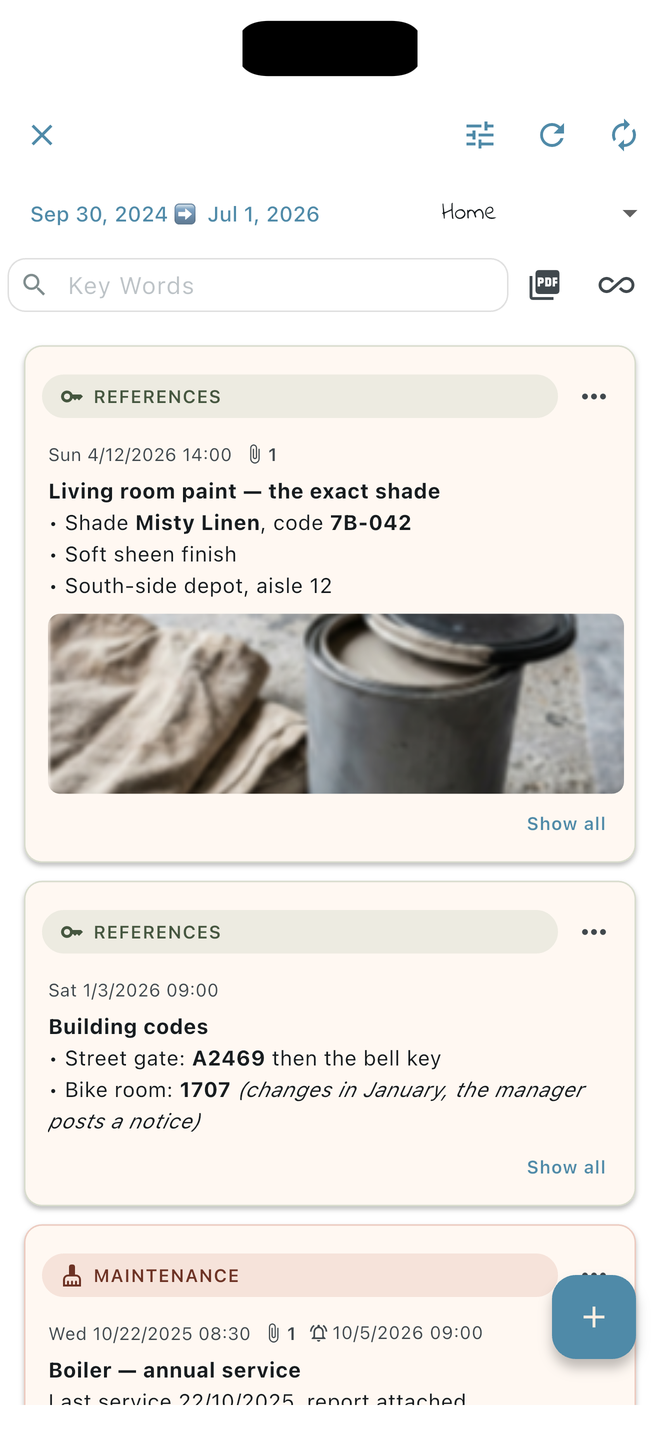
The paint code, the filter reference — the things nobody ever remembers.
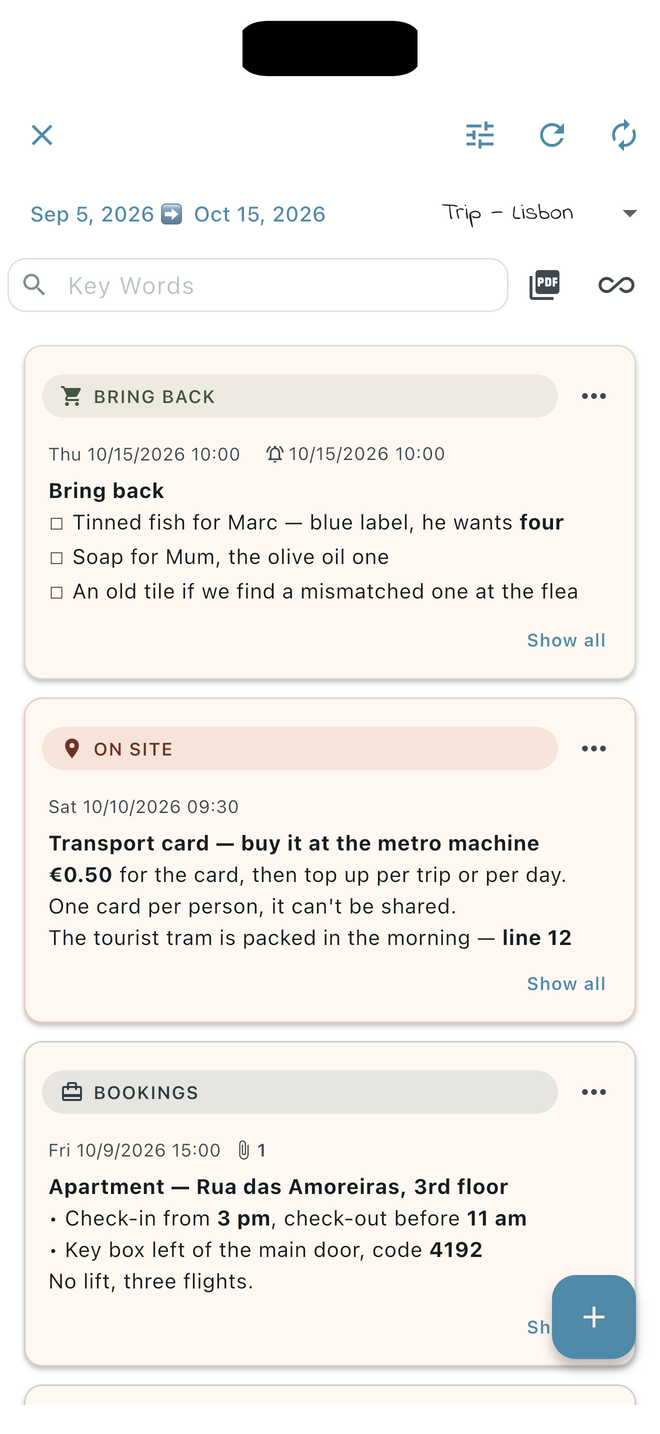
Written once before leaving, read on the spot instead of digging through emails.
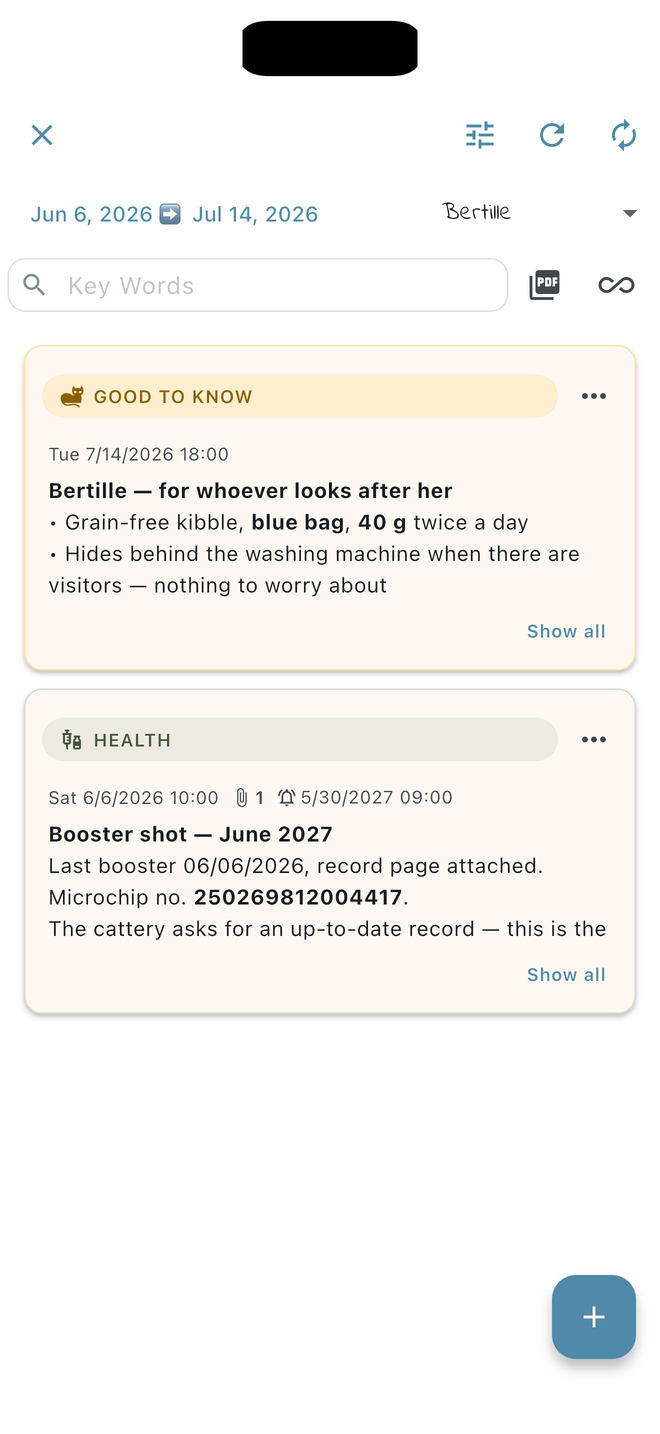
What the cat sitter needs to know — without a phone call.
WHY NOTENDA
Neither a notes app nor a spreadsheet
Some things are too personal for an ordinary notes app, too informal for a spreadsheet, too sensitive for a shared cloud. Notenda is built for exactly that — a structured, private space that never leaves your device.
GUIDES
Going further
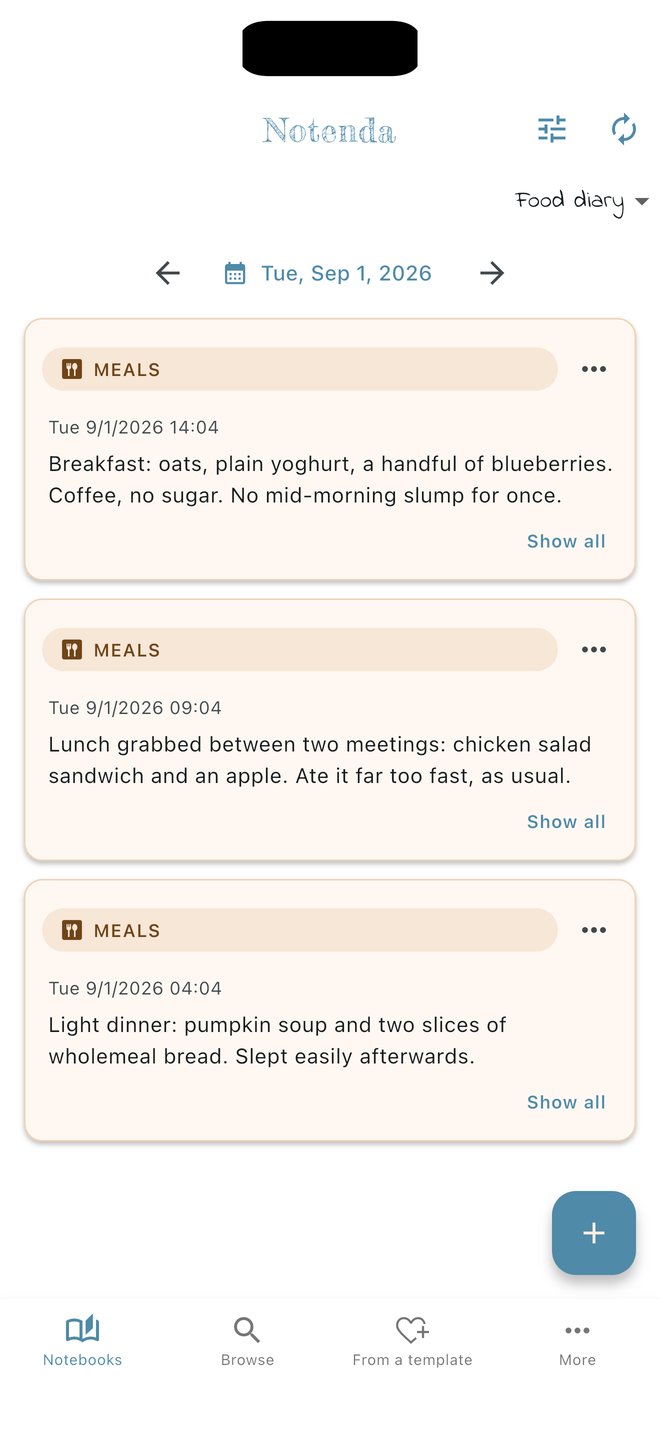
A food diary without counting calories
What is worth writing down, why a doctor may ask for one, and how to keep it simply.
Notes app or memo notebook?
Where your notes go, what a dated notebook adds, and when a regular notes app is enough.
Your pet’s health record
Treatments, vaccines, weight, vet visits: what to note, and how to pass it on to a pet-sitter.
A self-deleting note
A code, a parcel, a parking spot: a reminder at the right moment, then automatic deletion.
FREQUENTLY ASKED
What we’re asked most
What can I put in Notenda?
Anything that matters to you. Notenda doesn’t lock you into a single use: some people keep a private journal, others track their meals, their pet’s health, their workouts or their travels. There’s no limit on how much you write, and you can attach photos and documents to it.
Can I attach photos and files to a memo?
Yes. A memo takes photos, documents and files: the vet’s invoice, the hotel booking, a picture of a label. Attachments are saved on your device, just like the text, and are included in your backups.
Are my memos protected? Who can read them?
Your memos belong to you, and they don’t leave your device. Notenda creates no account, sends your notes to no server and keeps no copy of them: no one at Fabulette can read them. Their protection is your device’s own — do keep it locked.
Does the app work offline?
Yes, entirely. Notenda needs no connection to work: your memos are on your device and stay available at all times, on a plane as much as at the bottom of a valley.
Which platforms is Notenda available on?
Notenda is available on Android and iOS.
Is the app free?
Yes, entirely: no advertising, no subscription, no in-app purchase, no feature held back for a paid version. Since Notenda stores nothing online, it costs nothing to run — and nothing here is funded by your data.